求助关于 VSCode Astyle 配置

rt,看网上的教程说要把 bin 文件夹加到 Path 里然而我下载的 Astyle 是这样的,下载链接:https://sourceforge.net/projects/astyle/files/
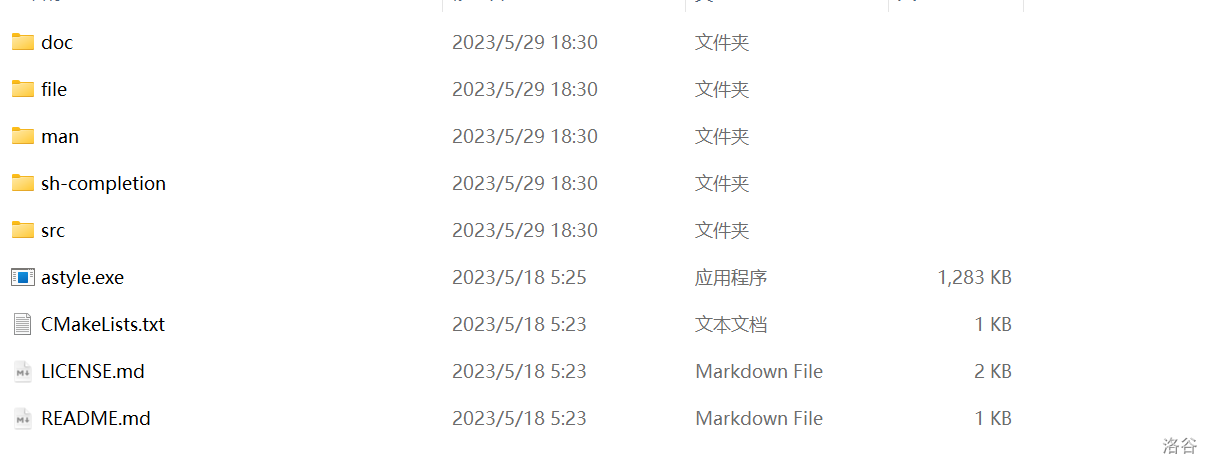
然后我就把 astyle.exe 的父文件夹加到 Path 里面了,已经在 VSCode 中安装了 Astyle 扩展,这是配置文件 setting.json:
{
    "C_Cpp.default.compilerPath": "E:\\mingw\\bin\\gcc.exe",
    //"astyle.executable": "E:\\Astyle\\astyle.exe",
    "terminal.integrated.allowChords": false,
    "editor.fontLigatures": true,
    "editor.formatOnSave": true,
    "editor.fontFamily": "'FiraCode Nerd Font'",
    "workbench.colorTheme": "Github Dark Plus",
    "astyle.additional_languages": [
        "c",
        "cpp"
    ],
    "astyle.cmd_options": [
        "--style=java",
        "--indent=spaces=4",
        "--convert-tabs",
        "--align-pointer=name",
        "--align-reference=name",
        "--keep-one-line-statements",
        "--pad-header",
        "--pad-oper",
        "--indent-preprocessor",
        "--indent-namespaces",
        "--indent-classes",
        "--indent-switches",
        "--suffix=none"
    ],
    "[cpp]": {
        "editor.defaultFormatter": "chiehyu.vscode-astyle"
    },
    "[c]": {
        "editor.defaultFormatter": "chiehyu.vscode-astyle"
    },
}
不报错,但是点击格式化文档没有任何反应
加载中...